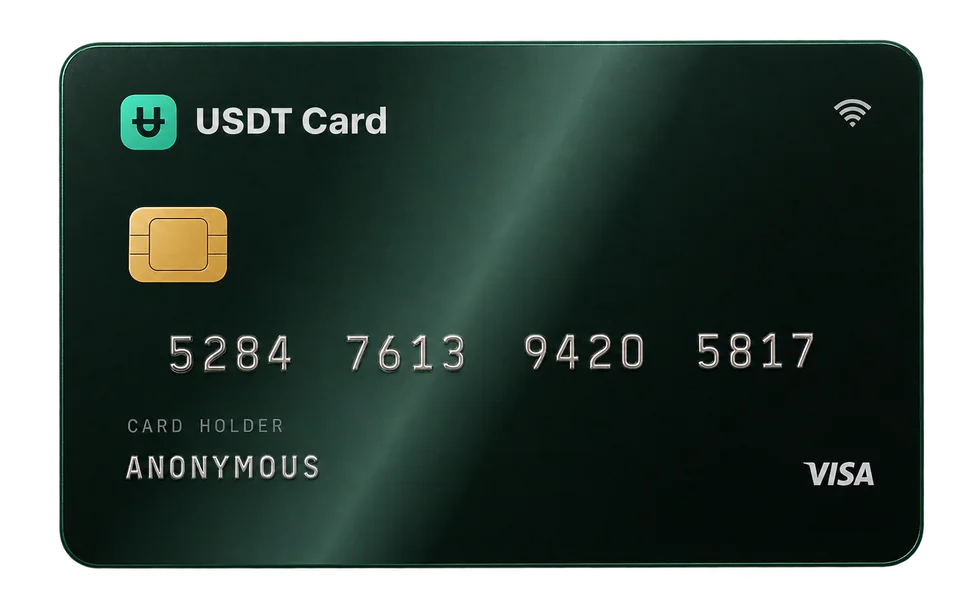
Virtual Cards for Meta, Google and TikTok Ads: Avoiding Payment Declines
Why ad platform payments get declined, and how virtual cards help you separate budgets per ad account, choose the right BIN and keep campaigns running within the platforms' rules.
Ad platforms decline payments for ordinary reasons: the card's balance doesn't cover the billing threshold, the card type isn't accepted, or the platform's risk checks flag an unfamiliar card. A virtual card helps by letting you give each ad account or client its own card with its own budget, on a BIN suited to ad platforms, so one failed payment doesn't take every campaign down with it. It doesn't change the platforms' rules, and it should never be used to get around a suspension.
How ad platforms charge your card
Understanding the billing model makes most declines easy to diagnose. Meta, Google and TikTok commonly use some mix of:
- Threshold billing. The platform charges your card each time your spend reaches a set amount, and that threshold can rise over time as the account builds payment history.
- Monthly or periodic billing. Outstanding spend is charged on a schedule.
- Prepaid or manual payments. You add funds in advance, in markets and account types where the platform offers it.
- Verification charges. When you add a new card, some platforms place a small temporary authorization to check that the card is valid.
The exact options depend on the platform, your country and your account. Check each platform's billing settings for what applies to you.
Why ad payments get declined
Not enough balance for the charge
The most common cause with prepaid cards. If your billing threshold is higher than what's left on the card, the charge fails. Keep the card loaded above your next expected charge, and remember that thresholds can increase.
The card type isn't accepted
Some ad platforms, in some regions, restrict prepaid cards or particular card programs. The BIN tells the platform what kind of card you're using; our guide on what a BIN is explains how this works.
Risk checks on a new payment method
A brand-new card on an account, or a sudden jump in spend, can trigger extra checks. That's normal platform behaviour designed to prevent fraud.
Spending limits on the card
If the charge is above your card plan's limit, it will decline. On USDT Crypto Card's Virtual plan, cards can spend up to $5,000 per transaction and $20,000 per month. Platinum, unlocked by a single deposit of $300 or more, has no spending limits.
Billing details mismatch
Some platforms check that the billing name, country or address are consistent. Fill in billing details accurately for your business.
How virtual cards help, legitimately
One card per ad account, client or campaign
Agencies and in-house teams often run several ad accounts. Giving each one its own virtual card has real benefits:
- Budget control. A card can only spend what you load onto it, which acts as a hard ceiling on top of the platform's own budget settings.
- Clean reporting. Each card's transaction history maps to one account or client, which makes reconciliation and client invoicing simpler.
- Isolation. If one card has a problem, you freeze or replace that one card, and the others keep paying.
Virtual cards cost $1 each on USDT Crypto Card, and you can hold up to 20.
Choosing a BIN for ad platforms
When you issue a card, choose one of the BINs built for advertising. They're intended for ad platforms such as Meta, Google and TikTok. If a platform declines one card, issuing a card on the other ad-focused BIN is a quick test, and declined transactions don't cost anything. You can compare all 9 BINs in the cards section.
Topping up without friction
Moving money from your account balance onto an existing card has no fee and a $10 minimum, so you can top up ad cards as often as you need without extra cost. Deposits into your account carry a 2% fee below $300 and none from $300 or more. Approved card transactions cost $0.30 each. See crypto card fees explained for worked examples.
Automating at scale
If you manage many cards, the REST API lets you issue, fund, freeze and close cards programmatically, read transactions, and receive signed webhooks, for example to top up a card automatically when it runs low.
A practical setup checklist
- Fund your account with one larger deposit to avoid the 2% fee on small deposits.
- Issue one card per ad account on an ads-focused BIN.
- Name your cards in your own records so each one maps to an account or client.
- Load each card above its next billing threshold, with a buffer.
- Add the card in the platform's billing settings and complete any verification it asks for. Every USDT Crypto Card is enrolled in 3D Secure, and verification codes are sent to your confirmed email.
- Monitor transactions in the dashboard and top up before thresholds are hit.
- Freeze cards you're not using, and delete cards for accounts you've closed; the remaining balance returns to your account.
Reconciling spend across accounts
At the end of the month, the card-per-account setup pays off. Each card's transaction history lists the charges from one ad platform account, so you can match them against the platform's own billing records without untangling a shared statement. For agencies, that makes it easier to invoice each client for exactly what was spent on their behalf. Keep a simple record of which card belongs to which account, and note when you retire a card, so older charges remain traceable.
What virtual cards are not for
It's worth being direct about this. Ad platforms have advertising policies and terms of service, and a payment method is not a way around them.
- Don't use new cards to get around a suspension or ban. If an ad account is restricted, follow the platform's appeal process. Cycling cards or accounts to evade enforcement breaches the platforms' terms and can lead to further restrictions.
- Don't advertise prohibited products or use misleading ads. Policy compliance is about the ads, not the card.
- Don't dispute legitimate ad charges. Chargebacks for spend you actually received are abuse, and platforms treat them seriously.
Used properly, virtual cards are a budgeting and operations tool. They help legitimate payments go through and keep spending organised.
Frequently asked questions
Why does my ad account say the payment was declined?
Common reasons are an insufficient card balance for the billing threshold, a card type the platform doesn't accept, extra risk checks on a new card, a spending limit on the card, or mismatched billing details.
Can I use a virtual card for Facebook and Instagram ads?
Yes, Meta accepts Visa and Mastercard cards as payment methods in many markets. Using a BIN built for ad platforms and keeping the card funded above your billing threshold helps payments go through.
Should I use one card for all my ad accounts?
It's usually better to give each ad account or client its own card. Budgets stay separate, reporting is cleaner, and a problem with one card doesn't stop every account.
Will a new card fix a suspended ad account?
No. A suspension is a policy decision by the platform, not a payment problem. Use the platform's appeal process; using new cards to evade enforcement breaches its terms.
Can I automate ad card top-ups?
Yes. The USDT Crypto Card API lets you fund cards and receive webhooks, so you can top up a card automatically when its balance drops.