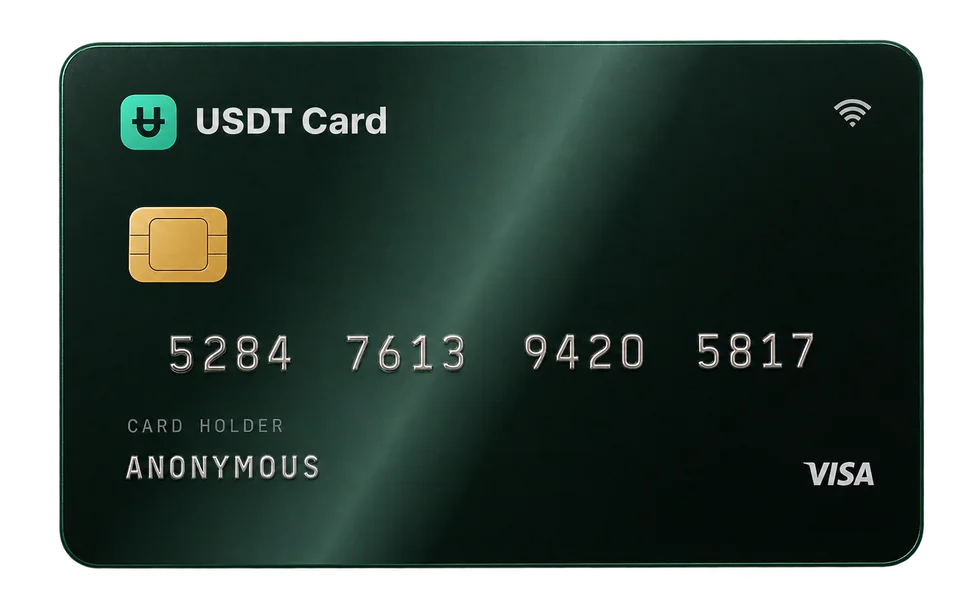
Virtual Cards for Teams: Managing Employee and Project Spend
Virtual cards for teams give each employee, project or vendor its own card and budget. Learn to set up employee spend cards, set limits and reconcile spend.
Virtual cards for teams let a business give each person, project or vendor a separate card with its own balance, so spending is capped in advance instead of reviewed after the fact. Instead of sharing one company card or reimbursing expenses, you load each card with what it needs, track its transactions individually and freeze it the moment it's no longer required. It's one of the simplest ways for a small team to control spend without heavy expense software.
The problem with one shared company card
Many small teams start with a single company card that several people use. It works until it doesn't:
- No per-person visibility. Every purchase lands on one statement, and someone has to work out who bought what.
- No limits per use. Anyone with the details can spend up to the card's full limit.
- One leak stops everything. If the number is compromised, every subscription and vendor on it has to be updated.
- Offboarding is painful. When someone leaves, they still know the card details.
Reimbursement has its own costs: employees front the money, submit receipts, and wait.
How virtual cards for teams work
The model is straightforward:
- The business holds one funded balance.
- Cards are issued from that balance, each with a specific purpose and label.
- Each card is loaded with the budget it needs. It can't spend more than that.
- Spending is reviewed per card, since each card's history reflects one person, project or vendor.
- Cards are frozen or deleted when the project ends or the person moves on.
On USDT Crypto Card, the balance is held in USDT (1:1 with the US dollar), funded by crypto deposits in any of 10 supported assets. Each card costs $1, needs a minimum load of $50, and can be topped up from the balance for free (minimum $10). You can hold up to 20 cards at once.
Ways to structure team cards
There's no single right layout. Pick the one that matches how you budget.
By person
Each team member gets a card for their own work expenses. Good for small teams where people buy their own tools, travel or supplies.
By project or client
Each project or client gets its own card. Ideal for agencies and consultancies that bill expenses back to clients, since each card's history doubles as an expense report.
By vendor
Each recurring vendor or subscription gets its own card. If a vendor raises prices or has a security issue, only that card is affected. See disposable virtual cards for subscriptions.
By budget category
Cards for advertising, software, travel and so on. Useful when finance plans in categories rather than projects. For ad spend specifically, read virtual cards for ads.
| Structure | Best for | Watch out for |
|---|---|---|
| Per person | Small teams, self-service buying | Personal and team spend mixing |
| Per project or client | Agencies, client rebilling | Cards for finished projects left active |
| Per vendor | Subscriptions, SaaS stacks | Many small cards to keep topped up |
| Per category | Finance-led budgeting | Less detail on who spent what |
You can combine them, for example per-vendor cards for software and per-project cards for everything else.
Setting budgets and limits
The most effective limit on a prepaid card is its balance. Load a card with this month's budget and that's the most it can spend. A few patterns that work well:
- Monthly reload. Top up each card at the start of the month to its budget. Unused balance carries over, so adjust the top-up accordingly.
- Just-in-time loading. Keep cards near zero and load them right before a known purchase. Highest control, more admin.
- Buffer for recurring charges. For subscriptions, keep slightly more than one renewal on the card so a small price change doesn't cause a decline.
Plan limits apply on top. The Virtual plan allows up to $5,000 per transaction and $20,000 per month. Platinum, unlocked by a single deposit of $300 or more, removes spending limits, which suits teams with larger vendor invoices or ad budgets.
Programmatic controls through the API
Teams that want finer control can manage cards from code with the REST API. When creating a card through the API, you can set a label, a spending limit, the merchant categories the card may be used in, an auto-freeze threshold and your own metadata, such as a cost-centre code. See how to automate card issuance with the virtual card API and the full API reference.
Day-to-day management
Labels and naming
Give every card a clear label when you create it: who or what it's for and, if useful, the month or quarter. "Design team: Figma" is far easier to reconcile than five unnamed cards.
Sharing card details safely
The team member needs the card number, expiry and CVV to pay. Share them through a password manager or another secure channel, never in plain chat or email. Because each card is separate, a leaked card affects only that card.
3D Secure
Some checkouts ask for a 3D Secure code. On USDT Crypto Card, these are sent to the account's confirmed email, so whoever reads that inbox needs to be reachable when teammates pay, or the team needs an agreed process for relaying codes. With the API, pending 3D Secure challenges can also be read programmatically.
Freezing and offboarding
When a project ends or someone leaves:
- Freeze the card immediately. Freezing is reversible.
- Update any vendors that need a new card.
- Delete the card once you're sure nothing else needs it. Its remaining balance returns to the account.
Reconciliation
Each approved transaction costs $0.30 and appears in that card's history; declines are free. At month end, export or review each card's history and match it to receipts. Because each card has one purpose, most of the categorisation is already done.
Security and access
A USDT Crypto Card account is accessed with a seed phrase, not a username and password, and anyone with the seed can access the whole account. For a team:
- Limit who holds the seed. Usually the owner and perhaps one finance lead.
- Turn on 2FA with an authenticator app and store the backup codes securely. It's optional but strongly recommended.
- Don't share the seed to share a card. Share the individual card details instead.
- Keep the confirmed email monitored. Account notices go there.
More in securing your seed phrase and 2FA.
Costs for a small team
Consider a team of five with one card each plus three vendor cards, loaded monthly from a single $1,000 deposit:
| Item | Cost |
|---|---|
| Deposit fee (0% at $300 or more) | $0.00 |
| 8 cards issued once × $1 | $8.00 |
| Monthly top-ups from balance | $0.00 |
| 60 approved transactions × $0.30 | $18.00 |
| Total fees | $26.00 |
Network and exchange fees for the deposit are separate. Card issuance is a one-off, so later months cost only the per-transaction fees. Current numbers are in the pricing section.
Frequently asked questions
What are virtual cards for teams?
They're separate virtual cards issued from one business balance, each assigned to a person, project or vendor with its own budget. They replace shared company cards and much of the reimbursement process.
How many employee spend cards can I create?
On USDT Crypto Card, you can hold up to 20 cards at once, each costing $1 to issue. Delete cards you no longer need to free up space.
Can I set a spending limit per card?
The card's balance is its practical limit, since a prepaid card can't spend more than it holds. Through the API you can also set a spending limit, allowed merchant categories and an auto-freeze threshold when creating a card.
Can each team member have their own login?
Accounts are accessed with a single seed phrase. Rather than sharing it, give team members only the card details they need, and keep the seed with the account owner.
What happens to unused money on a card?
It stays on the card and rolls over. If you delete the card, the remaining balance returns to your account balance.