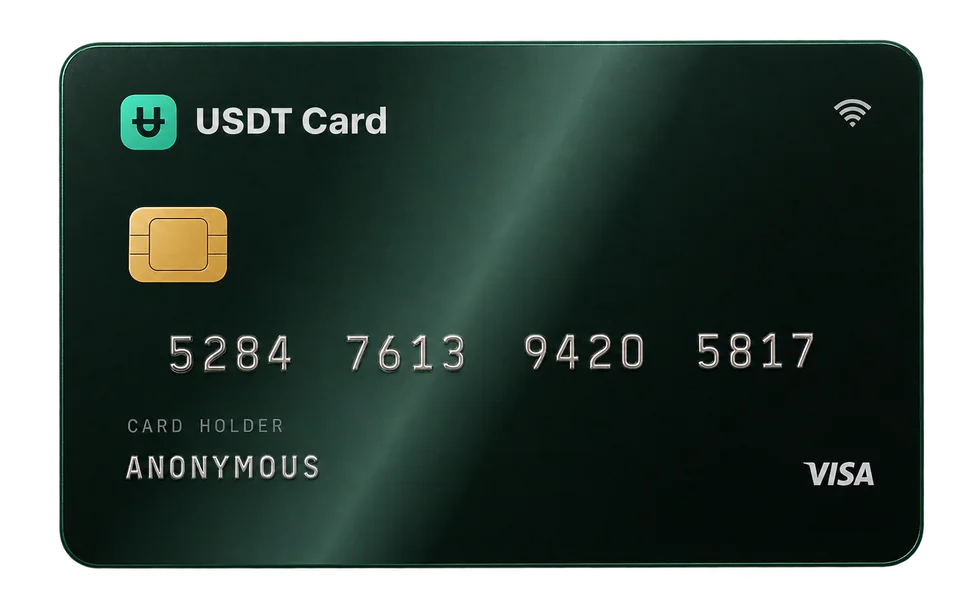
How to Spend USDT in Everyday Life with a Virtual Card
You can spend USDT anywhere that takes Visa or Mastercard by loading it onto a crypto virtual card. Here is how the conversion, checkout and mobile payments work.
The simplest way to spend USDT in everyday life is to load it onto a crypto virtual card. You deposit USDT (or another coin that gets converted to USDT), move part of the balance onto a Visa or Mastercard, and then pay with that card online or by tapping your phone through Apple Pay or Google Pay. The merchant sees an ordinary card payment in dollars, so it doesn't need to accept crypto itself.
Why USDT is practical for spending
USDT, also called Tether, is a stablecoin designed to track the US dollar one-to-one. That makes it a natural fit for day-to-day spending:
- Predictable value. A balance of 200 USDT is meant to stay worth about $200, unlike a balance in a volatile coin.
- Wide availability. USDT is listed on most exchanges and runs on several blockchains.
- Easy accounting. Because card payments are priced in currency, a dollar-pegged balance makes it easy to see what you can still spend.
The catch is that very few shops accept USDT directly. A card bridges that gap: you hold value in USDT, and the card network handles the payment in a form every card-accepting merchant understands.
How spending USDT with a card works
Step 1: Fund your account
Create an account and confirm your email address, which is required before your first deposit. Then send crypto to your deposit address. USDT Crypto Card accepts USDT on the Ethereum network (ERC-20), plus nine other assets: Bitcoin, Ethereum, Solana, BNB, TRON, Polygon, Litecoin, Avalanche and Arbitrum. Every deposit is converted to USDT (ERC-20) after the network confirms it.
Make sure you send USDT on the network the deposit screen shows. Sending USDT over a different chain than the address expects is one of the most common and costly mistakes. Our guide to USDT on ERC-20 vs TRC-20 explains why.
Step 2: Issue a card
From your balance, issue a virtual Visa or Mastercard. You'll pick a BIN, which influences how readily different merchants approve the card. If most of your spending will be in stores via your phone, choose a BIN marked for mobile wallets. Issuing a card costs $1.
Step 3: Load the card
Move the amount you want to spend from your account balance onto the card. You can top up an existing card from your balance later at no fee, with a $10 minimum per top-up. Keeping only what you need on each card limits your exposure if a card number is ever leaked.
Step 4: Pay
Use the card number, expiry date and CVV at online checkouts, or add the card to your phone's wallet to pay in stores. Each approved transaction costs $0.30, and declined transactions are free.
Where you can use a USDT card
Anywhere that takes Visa or Mastercard online, and in physical stores that accept contactless payments through a mobile wallet. Typical everyday uses include:
- Online shopping at marketplaces and retailers.
- Subscriptions such as streaming, software and cloud services. A separate card per subscription makes it easy to stop one without affecting the rest; see disposable virtual cards for subscriptions.
- Groceries, coffee and transport by tapping your phone at the till, once the card is in Apple Pay or Google Pay.
- Travel bookings like hotels and flights, where a higher-tier BIN can help with larger checkouts.
- Advertising and business tools, where separate cards help keep budgets apart.
The spend section of the homepage shows common categories at a glance.
Paying in stores with your phone
A virtual card has no plastic, but that doesn't limit you to online shopping. Once you add the card details to Apple Pay or Google Pay, your phone becomes the card at any contactless terminal. The step-by-step setup is in our guide to adding a crypto card to Apple Pay and Google Pay.
If you'd rather have a card in your wallet, Platinum users can order a physical card for a flat delivery fee of $20.
What about currency conversion?
Your card balance is in US dollars, backed by your USDT. When you pay a merchant in another currency, the card network converts the amount. The rate is set by the network at the time the payment settles, and the amount debited can differ slightly from what you see at checkout. If you spend mostly in one non-dollar currency, it's worth checking a few transactions in your history to see what you actually pay.
Practical tips for everyday spending
Keep a buffer on the card
Some merchants place a temporary authorization hold larger than the final amount, for example hotels, car rentals and fuel pumps. Keep a small buffer on the card so the authorization doesn't fail.
Use separate cards for separate jobs
Virtual cards cost $1 each, so it's cheap to split spending: one card for subscriptions, one for shopping, one for travel. If something goes wrong with one merchant, you freeze that card and the others keep working.
Plan larger deposits
Deposits under $300 carry a 2% fee, and deposits of $300 or more carry none. If you spend regularly, a single larger deposit costs less than several small ones, and a single deposit of $300 or more also unlocks the Platinum plan, which removes spending limits. See the pricing section for details.
Watch network fees
Sending USDT on Ethereum costs a network fee paid in ETH, which goes to the blockchain, not to the card provider. It varies with network activity, so it can be worth checking current fees before you send, especially for small amounts.
Limits to keep in mind
On the Virtual plan, a card can spend up to $5,000 per transaction and $20,000 per month. Those are generous for everyday use, but if you expect to go beyond them, Platinum has no spending limits. Merchants also apply their own rules, and some decline prepaid cards entirely. That isn't specific to crypto cards; it happens with prepaid cards in general.
Frequently asked questions
Can I pay with USDT directly at a store?
Very few stores accept USDT directly. With a crypto card, you hold USDT and the store receives a normal Visa or Mastercard payment, so you can pay anywhere cards are accepted.
Which network should I use to deposit USDT?
USDT Crypto Card accepts USDT on Ethereum (ERC-20). Always send on the network shown on the deposit screen; sending on another chain can lose the funds.
Is there a fee to move money from my balance to a card?
No. Topping up an existing card from your account balance has no fee, with a $10 minimum. Deposits into your account carry a 2% fee below $300 and none from $300.
Can I spend other coins, like Bitcoin, through the same card?
Yes. Deposits in Bitcoin, Ethereum, Solana and seven other assets are all converted to USDT, so everything ends up in one dollar-pegged balance you can load onto cards.
Do I need a confirmed email to spend?
You need a confirmed email to deposit and to issue or fund cards. It secures the account and carries receipts and alerts; it isn't an identity check.