How to Pay with Crypto Online Without a Bank Account
Pay with crypto online at any store that takes Visa or Mastercard, with no bank account in between. The options, the steps and the costs, explained plainly.
To pay with crypto online without a bank account, you either pay a merchant that accepts crypto directly, or you load a crypto-funded virtual card and pay by card wherever Visa or Mastercard is accepted. The card route works at far more stores, because the merchant just sees a normal card payment. Your crypto never has to pass through a bank.
Two ways to pay with crypto online
There are really only two routes, and they suit different situations.
Route 1: the merchant accepts crypto directly
Some online shops, hosting companies and digital services show a "pay with crypto" button at checkout. You pick a coin, the checkout shows an address and an amount, and you send the payment from your wallet.
- Pros: no intermediary card, and nothing to set up beyond a wallet.
- Cons: only a small share of merchants offer it, and each checkout works a little differently. Refunds, when possible, are often handled manually.
Route 2: a crypto-funded card
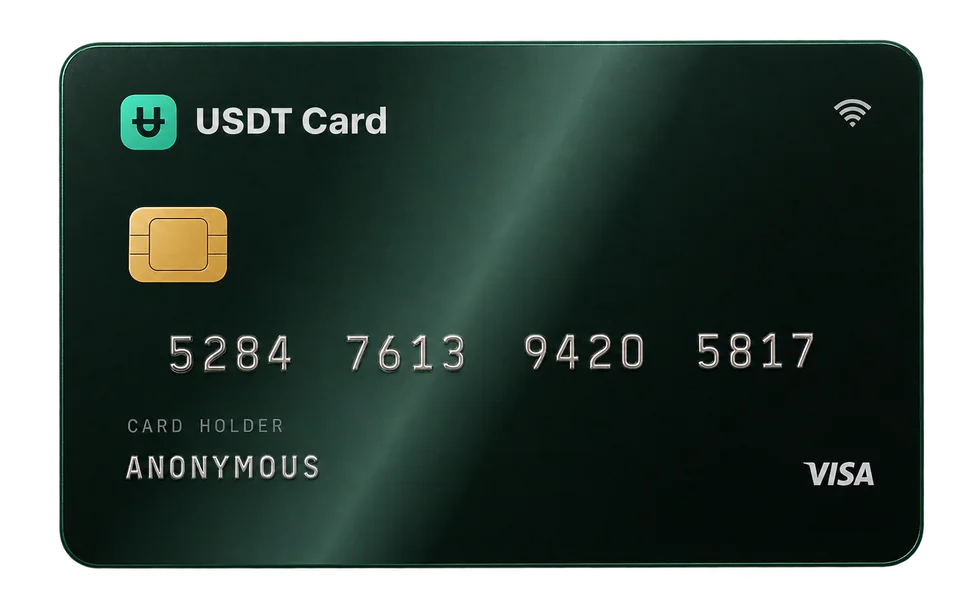
A crypto card turns your coins into a spendable balance on a Visa or Mastercard. You deposit crypto, the provider credits your balance, and you pay with the card number, expiry date and CVV like any other card.
- Pros: works at any merchant that accepts the card network online, plus in stores through Apple Pay and Google Pay.
- Cons: fees for funding and using the card, and some merchants decline prepaid cards.
For most people the card route is the practical one, because it removes the question "does this store take crypto?" entirely.
Paying with crypto without a bank account
A common assumption is that spending crypto means selling it on an exchange and withdrawing to a bank first. That is one way, but it adds days, withdrawal fees and a bank relationship you may not have or want.
A crypto-funded card skips that step. The path looks like this:
- Crypto leaves your wallet or exchange account.
- It arrives at the card provider and is credited as balance.
- You spend that balance by card.
No bank account is involved at any point. That matters for people who are underbanked, who live where card access is limited, or who simply keep their savings in stablecoins and don't want a bank as a middleman.
A card is not a bank account, though. It holds a prepaid balance, it doesn't offer credit or interest, and you can only spend what you have loaded.
Step by step: spend crypto online with USDT Crypto Card
Here is the whole flow on USDT Crypto Card, from nothing to a completed purchase.
1. Create an account
Sign up and you receive a seed phrase in the format xxxx-xxxx-xxxx-xxxx. That is your login. There are no ID documents or selfies to submit. Store the seed phrase safely: it is the key to your account.
2. Confirm your email
A confirmed email address is required before you can deposit or issue cards. It's used for receipts, security alerts and recovery. You can also turn on two-factor authentication with an authenticator app; it's optional but recommended.
3. Deposit crypto
Choose one of the 10 supported assets: BTC, ETH, SOL, USDT (ERC-20), BNB, TRX, POL (Polygon), LTC, AVAX or ARB. Enter the dollar amount you want to deposit and the dashboard shows the exact crypto amount and a deposit address.
- Send only on the network shown. Sending on a different network can lose the funds.
- A deposit request expires after 1 hour, so send soon after creating it.
Once the network confirms the transfer, the deposit is converted to USDT (ERC-20) and credited to your balance, which is held 1:1 with the US dollar. The full list of assets and networks is in the funding section.
4. Issue a virtual card
Pick Visa or Mastercard and one of 9 BINs (the first digits of the card number). Different BINs suit different kinds of merchants; our guide on what a BIN is explains how to choose. Issuing a card costs $1, and the minimum first load is $50.
5. Pay at checkout
Enter the card number, expiry date and CVV at checkout as you would with any card. If the merchant asks for a 3D Secure code, it is sent to your confirmed email. When the card runs low, top it up from your balance for free (minimum $10).
What it costs to pay with crypto online
Paying by crypto card has a few separate costs. On USDT Crypto Card:
| Cost | Amount |
|---|---|
| Deposit fee, under $300 | 2% |
| Deposit fee, $300 or more | 0% |
| Issuing a card | $1 per card |
| Topping up a card from balance | Free (minimum $10) |
| Approved transaction | $0.30 |
| Declined transaction | Free |
On top of that, the blockchain charges a network fee when you send crypto, and your exchange may add a withdrawal fee. Those vary by network and by how busy it is. For a full breakdown with worked examples, see crypto card fees explained.
A practical tip: one deposit of $300 or more avoids the deposit fee and also unlocks the Platinum plan, which removes spending limits.
Which coin should you pay with?
Any of the supported coins ends up as the same USD balance, so the choice is mostly about what you already hold and what the transfer costs.
- You already hold stablecoins: depositing USDT means no price movement between sending and crediting.
- You hold BTC, ETH or SOL: you can deposit them directly; they are converted at deposit, so later price swings no longer affect the balance.
- You care about transfer cost: networks like Solana, Polygon, TRON or Arbitrum often have lower fees than Ethereum or Bitcoin, though fees always vary.
If you specifically want to spend stablecoins, how to spend USDT in everyday life goes deeper.
Where paying online with a crypto card works well, and where it doesn't
It works well for:
- Online shopping at stores that accept Visa or Mastercard.
- Subscriptions and streaming, ideally with a separate card per service. See disposable virtual cards for subscriptions.
- Software, SaaS and digital goods.
- In-store payments through Apple Pay or Google Pay.
It can be harder for:
- Merchants that refuse prepaid cards, which some do as policy.
- Services that require a card in your own name and address to match identity records, such as some banks, brokerages or car rentals.
- Large one-off purchases above the Virtual plan's limits of $5,000 per transaction and $20,000 per month (Platinum removes those).
No provider can guarantee that every merchant will approve every payment. If a payment fails, why was my virtual card declined? walks through the usual causes.
Stay on the right side of the rules
Paying with crypto is legal in many countries, but rules differ, and some places restrict it. Crypto you spend can also have tax consequences depending on where you live. This article is not legal or tax advice, so check your local rules. Opening an account without ID documents doesn't change what is allowed: merchant terms and the law still apply to every payment.
Frequently asked questions
Can I pay with crypto online without a bank account?
Yes. A crypto-funded virtual card lets you deposit crypto and pay by Visa or Mastercard without a bank account. The crypto goes from your wallet to the card provider, and you spend the resulting balance.
Do online stores see that I'm paying with crypto?
No. The merchant receives a normal card payment. The crypto is converted to a USD balance before you pay, so the checkout looks the same as any other card.
Which cryptocurrencies can I use?
USDT Crypto Card accepts BTC, ETH, SOL, USDT (ERC-20), BNB, TRX, POL, LTC, AVAX and ARB. Every deposit is converted to USDT and held as a balance 1:1 with the US dollar.
How fast can I start paying?
As fast as your deposit confirms on the blockchain. Account creation takes a moment, there is no document review, and a card is issued as soon as you have balance.
Is there a minimum amount?
The first load onto a new card is at least $50, and later top-ups from your balance are at least $10. Deposits under $300 carry a 2% fee.