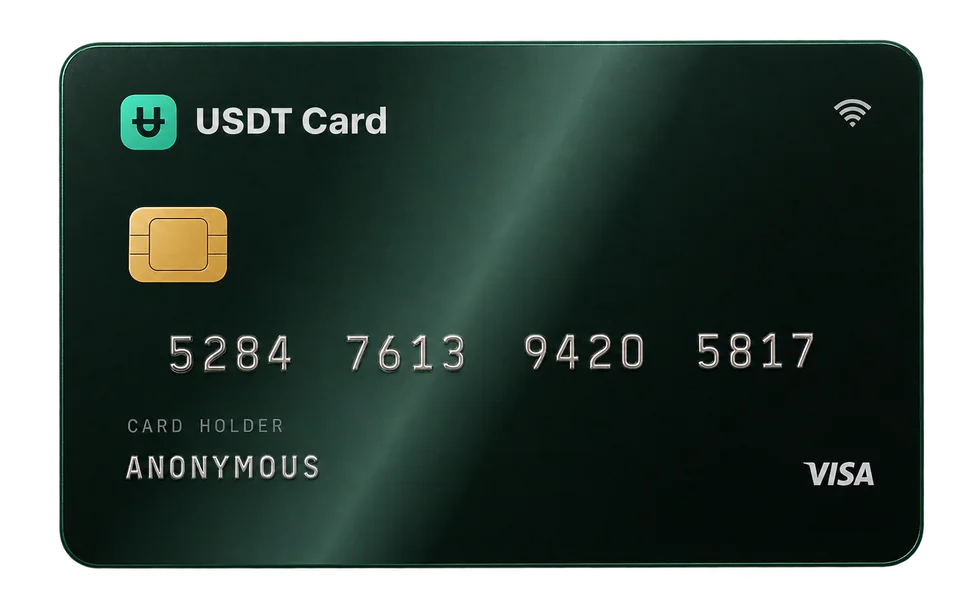
Disposable Virtual Cards for Subscriptions and Free Trials
Use a separate virtual card for each subscription or free trial to keep your main details private, cap what each service can charge and stop unwanted renewals cleanly.
A disposable virtual card is a card you create for one merchant or one purpose and freeze or delete when you're done. For subscriptions and free trials, that gives you two things: your main card details stay private, and you control recurring charges yourself, because a service can only charge what you've loaded onto its card. If you forget to cancel a trial, a frozen or near-empty card won't quietly fund another year.
What "disposable" means here
Some providers sell single-use card numbers that self-destruct after one payment. Others, including USDT Crypto Card, give you reusable virtual cards that are cheap enough to treat as disposable: you create one for a specific merchant, use it as long as you need, then freeze or delete it.
For subscriptions, reusable-but-dedicated is usually what you want. A true single-use number would decline the second month's charge even for a service you meant to keep.
Why use a separate card per subscription
Privacy
Every service you sign up for stores your card details. If one of them suffers a data breach, only that card is exposed, not the card you use for everything else. You replace one card instead of updating dozens of accounts.
Control over recurring charges
Cancelling a subscription can be harder than starting one. With a dedicated card, you have a second lever:
- Freeze the card and future charges will decline.
- Delete the card and the remaining balance returns to your account.
- Load only one period's cost and the card can't be charged more than that.
This doesn't replace cancelling properly. You still owe what you agreed to pay under a service's terms, and declining a charge doesn't end a contract. But it stops surprises like a forgotten trial converting to an annual plan.
Cleaner budgeting
Each card's transaction history shows exactly what one service has charged. Price increases are easy to spot, and you can see your real monthly subscription cost at a glance.
Using virtual cards for free trials, responsibly
Free trials are a fair way to test a product. A dedicated card helps you try them without worrying about forgetting the cancellation date:
- Issue a card for the trial and load a small amount, enough to cover the first paid period if you decide to keep the service.
- Note the trial end date in your calendar.
- Decide before the trial ends. If you're keeping it, top the card up. If not, cancel in the service's settings, then freeze the card.
What this is not: a way to take repeated free trials by signing up again and again with new cards. Most services allow one trial per person, and getting around that breaches their terms. The aim is control over charges you agreed to, not avoiding payment for things you use.
Setting it up on USDT Crypto Card
1. Fund your balance
Create an account, confirm your email and deposit crypto. All deposits, whatever the coin, are converted to USDT (ERC-20). Deposits under $300 carry a 2% fee; deposits of $300 or more carry none, so one larger deposit covering several months is cheaper than many small ones.
2. Issue a card per service
Each virtual card costs $1 to issue, with no monthly fee, and you can hold up to 20. When you issue a card, choose a BIN built for subscriptions and recurring billing; those are intended for SaaS, hosting, cloud and other recurring charges. You can compare all 9 BINs in the cards section.
3. Load what the service needs
Move money from your balance onto the card. Topping up an existing card has no fee and a $10 minimum. For a monthly subscription, loading one or two months at a time is a good balance between control and convenience.
4. Keep track
Give each card a purpose in your own notes, such as "streaming", "cloud storage" or "design tool". Check the card's transactions in your dashboard when a renewal is due.
5. Freeze or delete when you're done
When you cancel a service, freeze its card so no further charges go through. If you're sure you won't need it again, including for any expected refunds, delete it and the remaining balance returns to your account.
Costs to expect
- $1 to issue each card.
- $0.30 per approved transaction, which means each monthly renewal costs an extra $0.30. Declined transactions are free.
- No fee for topping up a card from your balance ($10 minimum).
- 2% on deposits under $300, 0% from $300.
For cheap subscriptions, the per-transaction fee is a noticeable share, so weigh privacy and control against cost. Grouping a few low-risk services on one card is a reasonable compromise. Our guide to crypto card fees has worked examples.
Which subscriptions to separate first
You don't need a card for every service on day one. Start where separation helps most:
- Services that are hard to cancel, where a frozen card is a useful backstop.
- Annual plans, where a surprise renewal is the most expensive.
- Smaller or newer merchants whose security practices you know little about.
- Free trials you're not sure you'll keep.
- Shared or business tools, where a dedicated card keeps costs out of your personal spending.
Long-standing services you're happy with can share a card. If you're new to crypto-funded cards, our guide on how to spend USDT in everyday life covers the basics of funding and loading cards, and what a no-KYC virtual card is explains how the account itself works.
Things that can go wrong
The service declines prepaid cards
Some merchants don't accept prepaid cards at all. Try a different BIN suited to subscriptions, but if the merchant refuses prepaid cards outright, no BIN will change that. Our guide on what a BIN is explains why.
A verification charge fails
Many services place a small temporary charge to check a card when you add it. Keep a little more on the card than the subscription price.
A refund arrives after you deleted the card
Refunds go back to the card that was charged. Keep a card active, or frozen rather than deleted, until any refunds you expect have arrived.
You're still billed after cancelling
If a service keeps charging after you cancelled, freeze the card first, then contact the merchant with your cancellation confirmation. If you can't resolve it, open a support ticket from your dashboard.
Frequently asked questions
What is a disposable virtual card?
A card created for a single merchant or purpose that you can freeze or delete when you're finished, so your main details aren't stored by that merchant and future charges can be stopped.
Can I use a virtual card for free trials?
Yes. Load a small amount, set a reminder for the trial end date and decide before it renews. Respect each service's trial terms; using new cards to take repeated trials breaches them.
Does freezing the card cancel my subscription?
No. Freezing stops new charges from going through, but you should still cancel in the service's settings. You remain responsible for any amounts you agreed to pay.
Which BIN is best for subscriptions?
Choose one of the BINs built for SaaS, subscriptions and recurring billing when you issue the card.
What happens to the money on a deleted card?
When you delete a card on USDT Crypto Card, its remaining balance returns to your account balance.