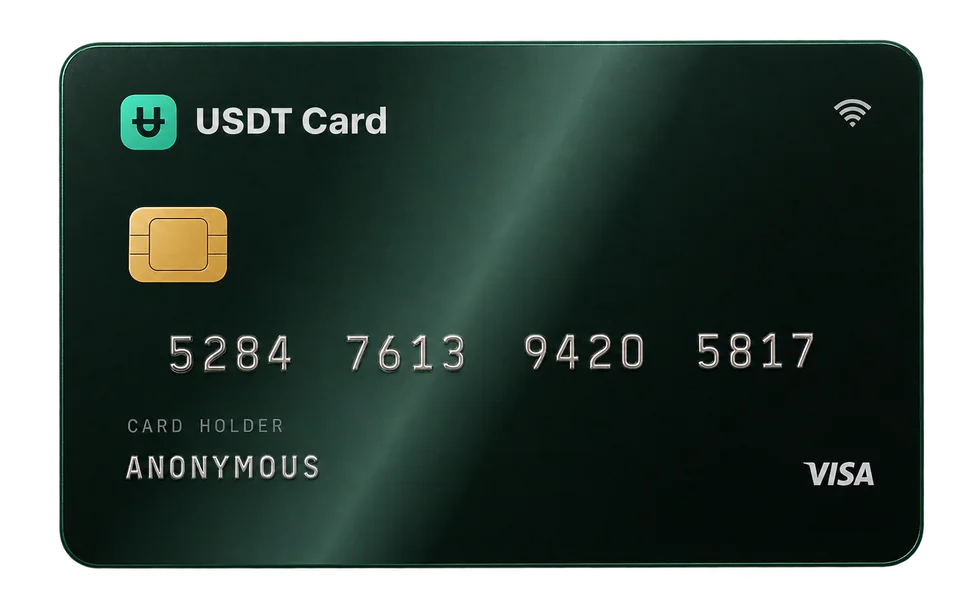
How to Pay for ChatGPT, Claude and Other AI Tools with Crypto
Pay for ChatGPT with crypto through a virtual card for SaaS: fund it with USDT, add it at checkout and keep each AI and software subscription on its own card.
To pay for ChatGPT with crypto, fund a virtual Visa or Mastercard with crypto and enter that card at checkout, because most AI and SaaS tools bill a card rather than accepting crypto directly. The same approach works for Claude, Midjourney, Notion, Canva, GitHub and most other subscription software. Give each tool its own card so you control exactly how much it can charge.
Why AI tools need a card, not a wallet
Most AI and software companies sell subscriptions through standard payment processors. Their checkout pages ask for a card number, expiry date, CVV and billing details, then charge the card automatically every month or year. Few of them accept crypto payments directly, and those that do may limit it to certain plans or regions.
A virtual card bridges that gap. You keep your money in crypto until you need it, convert it to a card balance, and pay the subscription like anyone else. The merchant sees a normal Visa or Mastercard payment.
How to pay for ChatGPT with crypto, step by step
1. Open an account and confirm your email
On USDT Crypto Card, your account is a seed phrase in the format xxxx-xxxx-xxxx-xxxx. No ID documents or selfie are required. A confirmed email is required before you can deposit or issue cards.
2. Deposit crypto
Create a deposit request and send one of the 10 supported assets: BTC, ETH, SOL, USDT (ERC-20), BNB, TRX, POL, LTC, AVAX or ARB. Every deposit is converted to USDT, and your balance is held in USDT, 1:1 with the US dollar. Send only on the network shown on the deposit screen; requests expire after 1 hour. If you're withdrawing from an exchange, see how to fund a crypto card from an exchange.
3. Issue a card on a SaaS-friendly BIN
When you issue a card, you choose its BIN, the first digits that identify the card program. USDT Crypto Card offers 9 BINs across Visa and Mastercard, including options aimed at subscriptions and software billing. Merchants and their payment processors look at the BIN when deciding whether to approve a card, so picking a suitable one can help. Read what a BIN number is for the details, or compare the options in the cards section.
Each card costs $1 to issue, with a minimum load of $50.
4. Add the card at checkout
Copy the card number, expiry and CVV from your dashboard into the tool's billing page. Fill in the billing details accurately. Some merchants run a small temporary authorization to check the card; that hold is released by the merchant.
5. Complete 3D Secure if asked
Some checkouts trigger 3D Secure, an extra verification step. On USDT Crypto Card, 3D Secure codes are sent to your confirmed email, so keep your inbox open while you pay.
6. Keep the card topped up
Subscriptions renew automatically. If the card balance is lower than the renewal amount, the charge declines and the service may pause your plan. Topping up a card from your balance is free, with a $10 minimum.
One card per tool
The main advantage of a virtual card for SaaS is control. Instead of putting every subscription on one card, give each tool its own:
- Hard spending cap. A card can only spend what's on it. If a tool upgrades you unexpectedly or a price changes, the charge can't exceed the balance.
- Clean cancellation. When you stop using a tool, freeze or delete its card. Remaining balance on a deleted card returns to your account.
- Easy tracking. Each card's transaction history shows exactly what one tool has charged you.
- Less exposure. If one merchant has a data breach, only that card's details are affected.
You can hold up to 20 cards at once, and there's no monthly fee per card. For trial sign-ups and recurring billing patterns, see disposable virtual cards for subscriptions.
Common AI and SaaS tools people pay this way
These are typical examples of card-billed tools. Each company sets its own payment rules, accepted card types and regional availability, which can change, so no card can be guaranteed to work at a specific merchant.
| Category | Examples | Billing pattern |
|---|---|---|
| AI chat assistants | ChatGPT, Claude, Gemini, Perplexity | Monthly or yearly subscription |
| AI image and video | Midjourney, Runway | Subscription, sometimes with usage add-ons |
| AI APIs | OpenAI API, Anthropic API | Prepaid credits or usage-based billing |
| Productivity | Notion, Canva, Grammarly | Per-seat monthly or yearly plans |
| Developer tools | GitHub, Vercel, cloud hosting | Subscription plus usage |
API and usage-based billing
AI APIs often bill by usage, sometimes with prepaid credits and automatic recharges. If you enable auto-recharge, make sure the card holds enough to cover it, and consider using a dedicated card so a runaway script can only spend what you've loaded.
Costs to expect
On USDT Crypto Card:
- $1 per card issued.
- $0.30 per approved transaction. Declines are free.
- 2% deposit fee on deposits under $300; 0% on deposits of $300 or more.
- Free card top-ups from your balance (minimum $10).
A $20-a-month AI subscription on its own card costs $0.30 per renewal in card fees. Blockchain and exchange fees for your deposit are separate. See crypto card fees explained for worked examples, and the pricing section for current numbers.
Plan limits
The Virtual plan allows up to $5,000 per transaction and $20,000 per month, which covers most individual subscriptions comfortably. Teams paying for many seats or heavy API usage may prefer Platinum, unlocked by a single deposit of $300 or more, which removes spending limits.
If a payment is declined
Declines happen for ordinary reasons. Work through these in order:
- Balance. Is there enough on the card, including any temporary authorization?
- Billing details. Do the country and postal code you entered make sense together?
- 3D Secure. Did a verification step time out? Check your email for the code and try again.
- Card type. Some merchants restrict prepaid cards. Try a card on a different BIN.
- Plan limits. Is the charge above your plan's per-transaction limit?
Avoid hammering the same checkout with repeated attempts; many processors treat that as a risk signal. Use a payment method the merchant accepts and follow its terms. A virtual card is a way to pay, not a way around a service's rules or regional restrictions.
Mobile payments
If you buy subscriptions through an app store, you may be able to add your virtual card to Apple Pay or Google Pay and pay that way. See adding a crypto card to Apple Pay and Google Pay.
Ready to try it? Create an account, deposit, and issue a card for your first tool.
Frequently asked questions
Can I pay for ChatGPT with crypto?
Not usually directly, since subscription checkouts typically ask for a card. You can fund a virtual card with crypto and use that card at checkout, subject to the merchant accepting it.
Which BIN should I choose for SaaS subscriptions?
Pick one of the BINs aimed at subscriptions and software billing when you issue the card. If a specific merchant declines, try a card on a different BIN rather than retrying the same one repeatedly.
Will my subscription renew automatically on a virtual card?
Yes, as long as the card is active and holds enough balance when the renewal is charged. If the balance is too low, the charge declines and the service may pause your plan.
How do I cancel an AI subscription paid with a virtual card?
Cancel inside the tool's account settings first. Then freeze or delete the card if you want to be sure nothing else is charged. Deleting a card returns its remaining balance to your account.
Is it allowed to pay for AI tools with a crypto-funded card?
Paying with a valid Visa or Mastercard is normal. You still have to follow each service's terms, including any regional availability rules. Using a card doesn't change those terms.