Bitcoin Card: How to Spend BTC with a Virtual Card
A bitcoin card lets you spend BTC anywhere Visa or Mastercard is accepted. How deposits convert, how long confirmations take, the fees and mistakes to avoid.
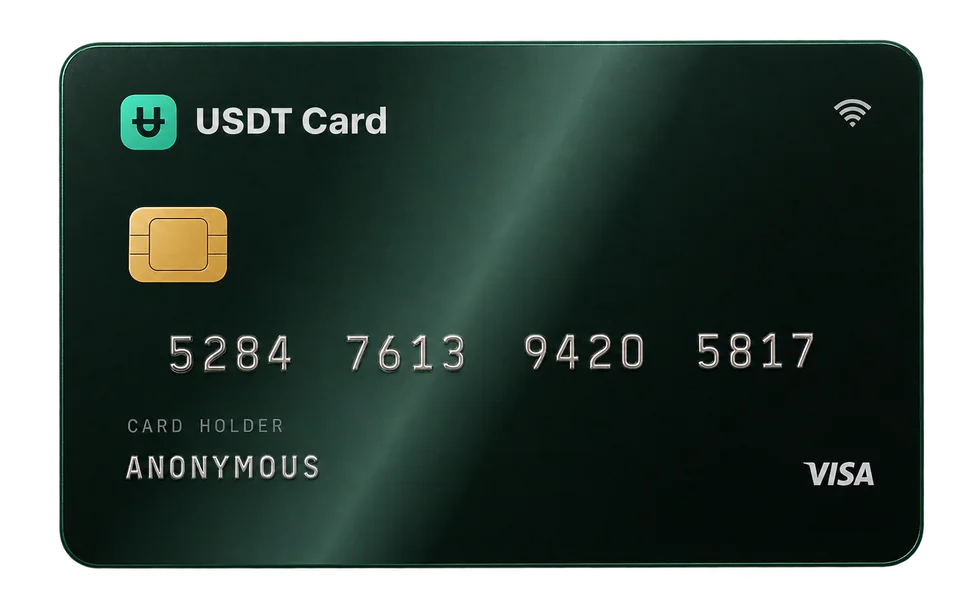
A bitcoin card lets you spend BTC at any merchant that accepts Visa or Mastercard. You send bitcoin to the card provider, it's converted into a dollar balance, and you pay with a virtual card number like any other card. The merchant receives a normal card payment and never has to accept bitcoin itself.
What a bitcoin card actually is
Very few shops accept bitcoin at checkout. A bitcoin card bridges that gap: it sits between your BTC and the card networks.
There are two broad designs:
- Prepaid bitcoin card: you deposit BTC, it's converted to fiat (or a stablecoin) at deposit, and you spend that balance. USDT Crypto Card works this way.
- Exchange-linked "bitcoin debit card": your BTC stays on an exchange and is sold at the moment of each payment.
The first design fixes your spending power at deposit time; the second keeps you exposed to the BTC price until you pay. If you're unsure which suits you, crypto prepaid vs debit vs credit cards compares them side by side.
How to spend bitcoin with a virtual card, step by step
1. Open an account
Sign up to receive a seed phrase (xxxx-xxxx-xxxx-xxxx), which is your login. No ID documents or selfies are needed. Confirm your email address, which is required before you can deposit or create cards, and consider turning on two-factor authentication.
2. Create a BTC deposit request
In the dashboard, choose BTC and enter the dollar amount you want to deposit. The screen shows:
- the exact BTC amount to send, calculated from the exchange rate at that moment;
- a deposit address and QR code;
- the network to use.
The request expires after 1 hour, so create it when you're ready to send.
3. Send the bitcoin
Send the exact amount from your wallet or exchange to the address shown, on the network shown. A few rules save a lot of trouble:
- Copy and paste the address, or scan the QR code, then check the first and last characters.
- Send on the network displayed. Don't send wrapped BTC on another chain unless that option is listed.
- Account for withdrawal fees. If your exchange deducts its fee from the amount sent, the deposit can arrive short. Send so that the amount that arrives matches.
4. Wait for confirmation
Bitcoin produces a new block roughly every 10 minutes on average, but that's only an average, and a transaction with a low fee can wait longer when the network is busy. Once the network confirms the transfer, the deposit is converted to USDT (ERC-20) and credited to your balance, held 1:1 with the US dollar.
5. Issue a virtual card and pay
Create a Visa or Mastercard virtual card from your balance, choosing one of 9 BINs. Load at least $50 on it and use the card number, expiry and CVV at checkout. You can also add it to Apple Pay or Google Pay.
How BTC is converted to a spendable balance
When your bitcoin is credited, it's converted into USDT, a dollar-pegged stablecoin. From that moment:
- Your balance no longer moves with the BTC price. If bitcoin rises or falls after conversion, your card balance stays the same in dollars.
- Everything you spend is in USD terms. A $40 purchase reduces your balance by $40 (plus the transaction fee).
This is useful if you want predictable spending money. If you'd rather keep your BTC exposure, deposit only what you plan to spend soon. How rates, spreads and confirmations interact is covered in detail in how a card top-up converts your crypto to dollars.
Bitcoin card fees
| Cost | On USDT Crypto Card |
|---|---|
| Bitcoin network fee | Set by the network, paid to miners; varies with congestion |
| Exchange withdrawal fee | Set by your exchange, if you send from one |
| Deposit fee | 2% under $300, 0% at $300 or more |
| Card issuance | $1 per card |
| Card top-up from balance | Free, minimum $10 |
| Approved transaction | $0.30 |
| Declined transaction | Free |
Bitcoin's network fee is fixed per transaction rather than a percentage, so it weighs most on small deposits. Depositing larger amounts less often is usually cheaper, and a single deposit of $300 or more avoids the deposit fee entirely while also unlocking Platinum. For a full breakdown, see crypto card fees explained.
BTC vs other coins for funding a card
You don't have to fund with bitcoin just because you hold it, but it often makes sense.
- BTC: convenient if your savings are already in bitcoin; slower confirmations and fees that rise with congestion.
- USDT: no price movement between sending and crediting; you'll need USDT on the network shown. See ERC-20 vs TRC-20 USDT.
- SOL, POL, ARB, TRX: often faster and cheaper to send, though fees always vary. See our Solana card guide.
- LTC: similar model to bitcoin, often with faster blocks.
All 10 supported assets end up as the same USDT balance. The list is in the funding section.
Common mistakes when spending bitcoin by card
- Sending after the request expired. Create the request only when you're about to send.
- Sending the wrong amount because an exchange subtracted its fee.
- Using a very low network fee during busy periods, so the transaction sits unconfirmed.
- Sending on the wrong network or sending a different coin to the BTC address.
- Loading every card with your whole balance. Keep cards loaded with what they need; the balance in your account is not exposed if one card number leaks.
If a deposit doesn't appear, open a support ticket in the dashboard with the transaction ID.
Where a bitcoin card works
A BTC-funded virtual card works wherever the merchant accepts the card network online, such as:
- online shopping and marketplaces;
- subscriptions, software and SaaS;
- advertising platforms (see virtual cards for ads);
- in-store payments through Apple Pay or Google Pay.
Acceptance is still up to each merchant. Some decline prepaid cards, and no provider can guarantee approval everywhere.
Spending bitcoin may also be a taxable event where you live, since converting BTC can count as a disposal. This is not tax advice; check local rules.
Frequently asked questions
Can I spend bitcoin with a card?
Yes. A bitcoin card converts your BTC into a dollar balance that you spend by Visa or Mastercard. The merchant sees a normal card payment.
How long does a BTC deposit take?
It depends on network confirmation. Bitcoin blocks arrive about every 10 minutes on average, but busy periods and low fees can slow things down.
Does my card balance change with the bitcoin price?
No. Your BTC is converted to USDT when it's credited, so the balance stays fixed in US dollars afterwards.
Do I need ID to get a bitcoin card?
Not with USDT Crypto Card. You sign up with a seed phrase and confirm an email address; no ID documents or selfie are required.
What's the minimum to start?
The first load on a new card is at least $50, plus the $1 card fee. Deposits under $300 carry a 2% fee.